You’re drowning in research notes scattered across seventeen browser tabs, three notebooks, and that voice memo you recorded two weeks ago but can’t find. Sound familiar?
Every nonfiction author faces this chaos. You collect brilliant insights, save compelling quotes, bookmark essential sources — then spend hours hunting through the mess when you actually need to write.
Google’s NotebookLM for authors changes that equation entirely.
This isn’t another note-taking app promising to organize your life. It’s an research assistant that actually understands your material, connects disparate ideas, and helps you write faster by making sense of everything you’ve collected.
NotebookLM for Authors: Organize All Your Research in One Place
Most research tools store information. NotebookLM processes it.
Upload your PDFs, paste your web articles, drop in your interview transcripts — up to 50 sources per notebook. The system reads everything, identifies connections, and creates a unified knowledge base that responds to your questions.
Here’s what makes it different: instead of keyword searching through files, you ask questions in plain English. “What did the Stanford study say about habit formation?” or “Find all mentions of cognitive behavioral therapy in my sources.”
The responses come with direct citations. No more wondering where you found that perfect quote or whether you’re remembering the statistic correctly.
For book authors, this means your research phase becomes your first draft preparation. Every source becomes immediately accessible, every insight properly attributed, every connection explicitly mapped.
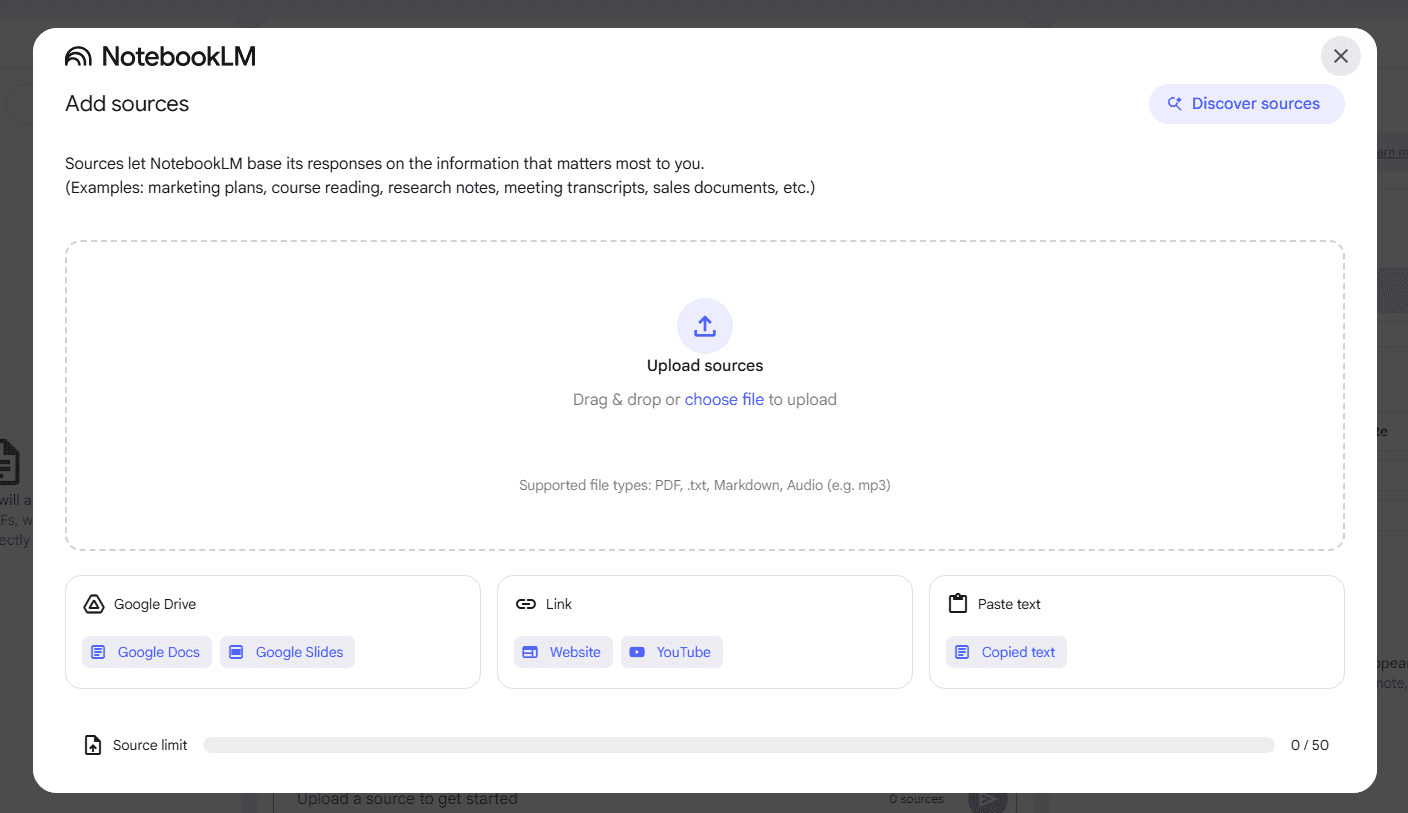
Adding topic research sources on NotebookLM
Tap Into a Massive Context Window for Smarter Writing
Traditional research requires you to hold multiple sources in your head simultaneously. Your working memory becomes the bottleneck.
NotebookLM removes that constraint. It maintains awareness of all your sources at once, drawing connections across documents that you might miss when working linearly through material.
Ask it to “compare the approaches to productivity discussed in sources 3, 7, and 12” and it pulls relevant passages, highlights differences, identifies overlaps. The system operates like having a research assistant who’s read everything and remembers every detail.
This massive context window proves especially valuable for authors tackling complex subjects. Business books comparing multiple frameworks. Health books synthesizing decades of research. Historical works drawing from numerous primary sources.
The tool doesn’t just retrieve information — it helps you understand how pieces fit together.
Interactive Mind Map for Organizing Your Book Chapters
Chapter outlines often feel forced when you’re working from scattered notes. You know the information connects, but the logical flow isn’t obvious.
NotebookLM’s interactive features help surface that structure. Ask it to “create a chapter outline covering the five stages of behavior change” and it pulls relevant material from across your sources, organizing concepts into a logical progression.
The system suggests chapter topics based on your research. It identifies which sources support each main point. It reveals gaps where you might need additional material.
This isn’t preset templates or rigid frameworks. The organization emerges from your actual research, shaped by the specific sources you’ve gathered and the unique angle you’re pursuing.
You can refine the structure interactively — ask follow-up questions, request alternative organizations, dive deeper into specific sections. The mind map evolves as your understanding develops.
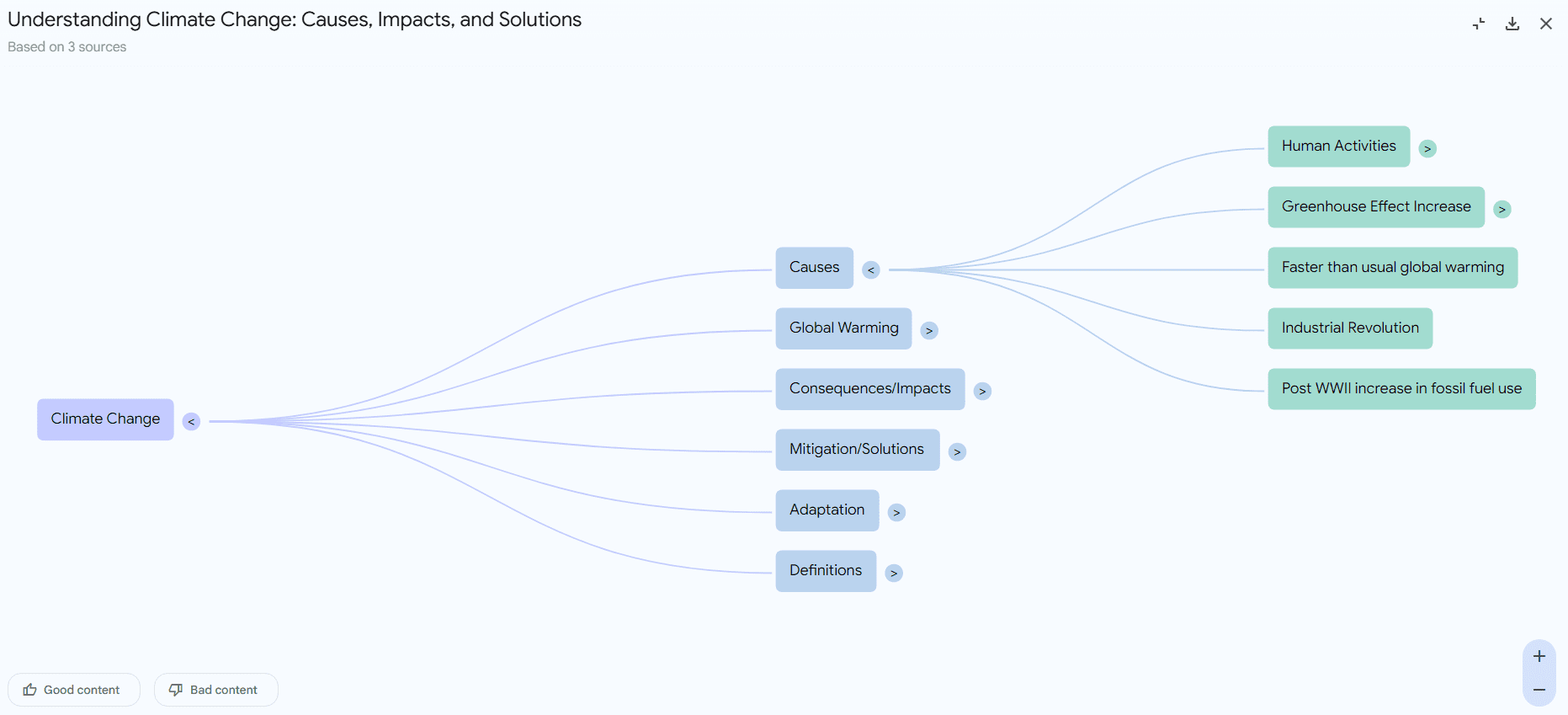
Mind map in NotebookLM
Built-In Source Checks: Write with Confidence, Not Guesswork
Nothing kills writing momentum like stopping to verify a fact or hunt down a citation.
NotebookLM eliminates that friction by providing source verification in real-time. Every response includes clickable citations that take you directly to the relevant passage in your original documents.
When you’re writing about “the 2019 study that found meditation reduced anxiety by 40%,” you can instantly confirm the exact statistic, the study methodology, and the proper citation format.
This source checking prevents the common author problem of half-remembered facts. You avoid the embarrassment of misattributed quotes or incorrect statistics. Your fact-checking becomes continuous rather than a separate editing phase.
The system also flags potential contradictions in your sources, helping you address conflicting information proactively rather than discovering issues after publication.
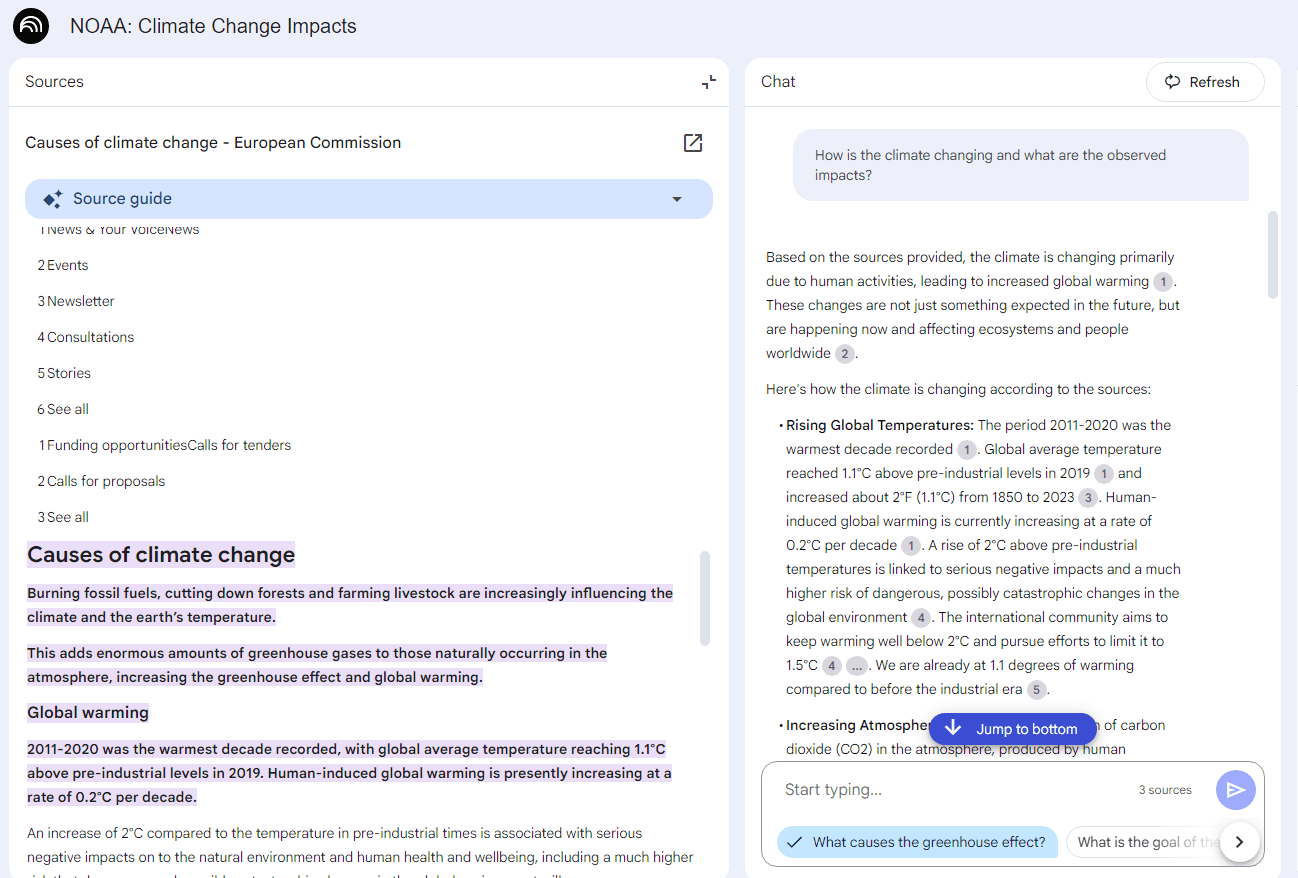
Source checking on NotebookLM
Listen to Your Notes Like a Podcast: Research On-the-Go
Reading research feels productive, but it’s not always practical. You’re commuting, exercising, walking the dog — times when your mind is free but your eyes aren’t available.
NotebookLM’s Audio Overview feature converts your research into a podcast-style discussion. Two voices discuss your material, highlighting key themes, debating different perspectives, raising questions worth exploring further.
This isn’t text-to-speech reading your notes verbatim. The system creates an actual conversation about your material, with natural dialogue that helps you process complex concepts through auditory learning.
The conversations often reveal angles you hadn’t considered. Hearing your research discussed aloud surfaces connections that weren’t obvious when reading silently. The back-and-forth format helps identify where your argument might face challenges.
Authors use this feature for writing preparation — listening to podcast overviews before writing sessions to prime their thinking with relevant material.
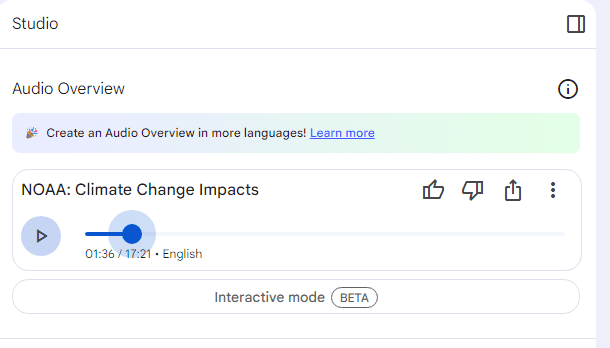
Audio overview on NotebookLM
Turn Research Into Writing: Practical Workflows
Most research tools help you collect information. Few help you transform that information into publishable writing.
NotebookLM bridges that gap through targeted questioning. Instead of asking “What does the research say about productivity?”, ask “What are three specific productivity techniques supported by peer-reviewed research that business professionals could implement immediately?”
The system provides structured responses perfect for first drafts. It organizes supporting evidence by strength. It identifies potential counterarguments. It suggests transitions between concepts.
You’re not copying AI-generated text — you’re using it as intelligent scaffolding for your own writing. The research becomes actionable, the structure becomes clear, the connections become explicit.
For authors writing in competitive niches, this approach ensures your book offers unique value by synthesizing sources in ways competitors haven’t attempted.
Create a chapter outline for my nonfiction book about [TOPIC]. Based on the sources I’ve uploaded, identify:
1. 5-7 main chapter topics that logically progress from foundational concepts to advanced applications
2. 3-4 key supporting points for each chapter, with specific source citations
3. Potential counterarguments or opposing viewpoints I should address
4. Gaps in my current research where additional sources would strengthen the argument
5. Suggested transitions between chapters to maintain narrative flow
Format the outline with clear headings, subpoints, and source references for easy reference during writing.
Limitations: What NotebookLM Can’t Do
NotebookLM excels at processing existing research, but it won’t find new sources for you. You still need to identify and collect relevant material.
The 50-source limit constrains authors working with massive research bases. Academic researchers or historians might hit this ceiling quickly.
The system works best with text-heavy sources. Visual materials like charts, diagrams, or infographics receive limited processing. Video and audio sources aren’t supported directly.
Source quality determines output quality. Feed it weak research and you’ll get weak insights. The tool amplifies your research skills rather than replacing them.
Getting Started: Your First NotebookLM Notebook
Create your first notebook around a single chapter or topic rather than your entire book. This focused approach helps you understand the tool’s capabilities before scaling up.
Upload 10-15 of your best sources on the topic. Include a mix of academic papers, industry reports, and credible articles. Avoid duplicating the same information across multiple sources.
Start with broad questions: “What are the main themes in this research?” Then narrow down: “What specific techniques do multiple sources recommend?” Finally, get tactical: “Create a step-by-step process based on this research.”
Pay attention to the citations. When NotebookLM references specific passages, click through to verify the context matches your understanding. This builds trust in the system and catches any misinterpretations early.
NotebookLM vs. Traditional Research Methods
Integration with Your Writing Workflow
NotebookLM works best as part of a larger writing system, not as a replacement for your entire workflow.
Use it during the research organization phase — after you’ve collected sources but before you start writing. Create separate notebooks for different book sections or chapters.
During writing sessions, keep relevant notebooks open for quick fact-checking and citation verification. The search functionality helps you locate specific information without breaking writing flow.
For authors using tools from our AI Tools Directory, NotebookLM complements rather than replaces writing assistants. Use it for research organization, then apply dedicated writing tools for draft creation and editing.
Advanced Features for Power Users
Power users develop sophisticated questioning strategies that extract maximum value from their research.
Use comparative questions to identify unique angles: “How do the approaches in sources 2, 8, and 15 differ from mainstream thinking on this topic?”
Request evidence hierarchies: “Rank the supporting evidence for this claim from strongest to weakest, explaining your reasoning.”
Generate counterargument analyses: “What are the strongest objections someone might raise to this argument, and how do my sources address them?”
Create reader-focused summaries: “Explain this concept as if writing for busy executives who need actionable insights, not academic theory.”
These advanced prompts transform raw research into publication-ready insights, saving hours of analysis and organization time.