Staring at a blank page? Stop typing. Start talking. One of the most underrated AI workflows for bloggers right now: speak your ideas out loud, let AI clean up the transcript, then shape it into a draft. It works especially well if you’re verbally wired — you’ll naturally make connections and find your angle faster than you would by typing.
Here’s why this works, how to do it, and when it’s the right move.
Why Voice-to-Text Works When Typing Doesn’t
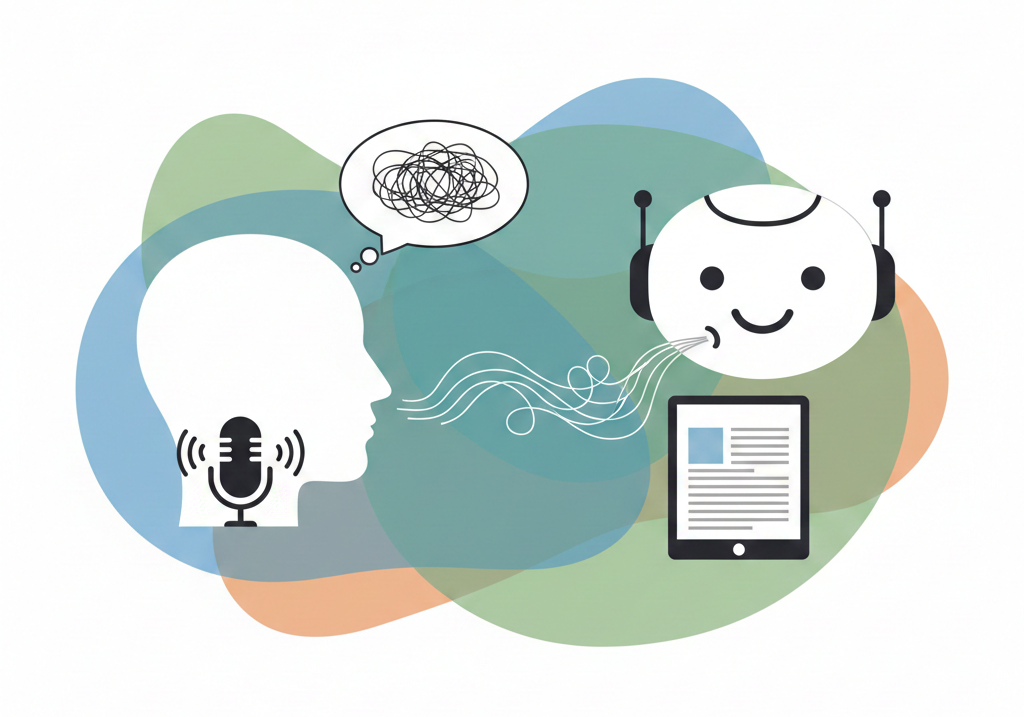
Writing and speaking use different parts of your brain. When you type, you self-edit. You delete sentences halfway through. You overthink word choice. You get stuck. When you speak, you just go. Ideas flow. You make connections you wouldn’t have made staring at a cursor. You sound more natural because you’re not performing — you’re explaining.
That’s the magic: speaking bypasses the part of your brain that wants everything perfect before you write it down. And with AI transcription tools, you don’t lose anything. The AI captures what you said, cleans it up, and gives you a starting point that already sounds like you.
The Simple Voice-to-Draft Workflow
Here’s the fastest version:
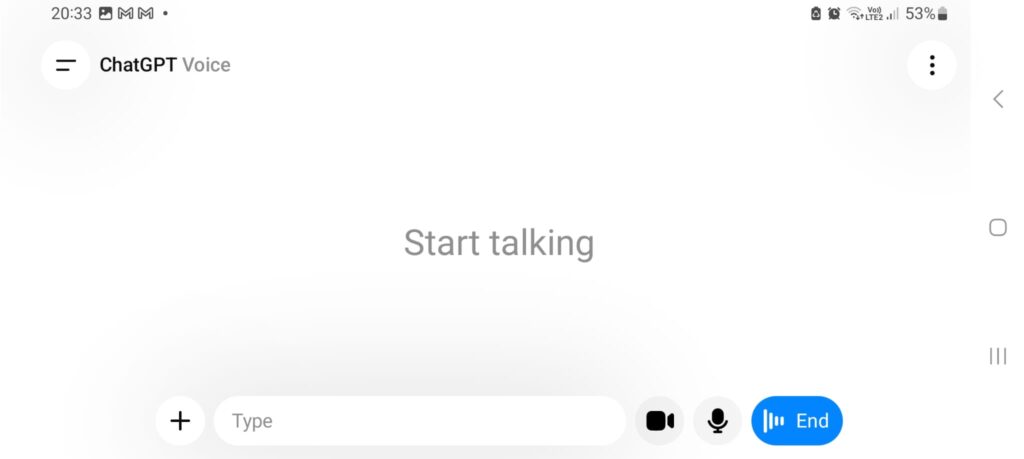
Step 1: Open a voice AI tool
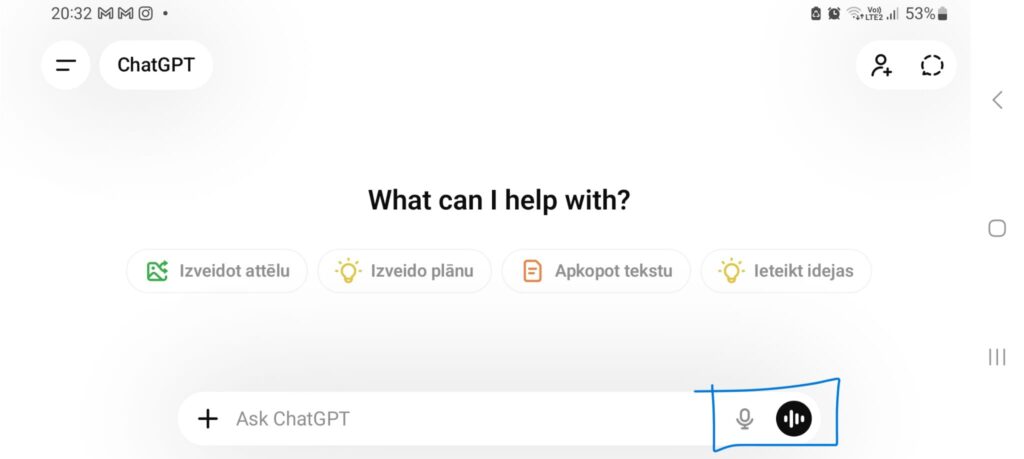
Use ChatGPT’s mobile app (it has a built-in voice feature), Google’s voice recorder with transcription, or any voice-to-text tool.
Step 2: Talk for 3-5 minutes
Pick a topic. Then talk through:
- What’s the main point?
- Why does it matter?
- What’s your take or angle?
- What examples support this?
Don’t script it. Just explain it like you’re talking to a friend.
Step 3: Ask AI to structure it
Paste the transcript into your AI tool and say:
“Clean this up into structured notes. Organize by main ideas and remove filler words. Keep my tone intact.”
The AI will turn your rambling into bullet points or paragraphs you can actually use.
Step 4: Turn it into a draft
Now you have an outline. Write the full post based on those notes — but in your own voice. Don’t just publish the AI’s cleaned-up version. Use it as scaffolding.
Total time: 10-15 minutes from idea to outline. That’s faster than most people spend staring at a blank page.
When Voice-to-Text Works Best
This workflow isn’t for everyone. It works best if:
You think out loud: some people process ideas by talking. If you’re one of them, speaking your draft will feel natural.
You’re stuck on structure: if you know what you want to say but can’t figure out how to organize it, speaking helps you discover the structure as you go.
You’re procrastinating: typing feels like work. Talking feels like thinking. Sometimes lowering the friction is all you need to get started.
You’re writing conversational content: blog posts, newsletters, social media captions — anything that should sound like a person talking. Voice-to-text nails that tone.
Tools That Make This Easy
You don’t need expensive software. Here’s what works:
ChatGPT mobile app (free)
Tap the headphone icon. Start talking. ChatGPT transcribes and responds in real time. You can even have a back-and-forth conversation where it asks follow-up questions.
Google Docs voice typing (free)
Go to Tools > Voice Typing. Speak. Google transcribes. Then copy/paste into your AI tool to clean it up.
ElevenLabs (free tier available)
Upload documents or paste text, and it reads them aloud in natural AI voices. Good for reviewing your drafts by ear or converting written content to audio.
Apple Voice Memos + transcription (built-in on iOS)
Record your thoughts. The transcript appears automatically. Copy it into your AI tool for cleanup.
Pick one. The tool doesn’t matter as much as the habit.
Example: How This Workflow Solves Writer’s Block
Here’s a real scenario: you’re stuck on a post about productivity for freelancers. You know the topic, but every time you try to write, you delete the first paragraph.
Instead of forcing it, you open ChatGPT’s voice feature and talk for four minutes:
“Okay, here’s the thing. Most productivity advice assumes you have a 9-to-5 schedule. But freelancers don’t work like that. You have clients in different time zones, deadlines that overlap, and no one telling you when to start or stop. So the typical ‘time blocking’ advice doesn’t work. What does? Three things: clarity on your top priority each day, ruthless boundary setting with clients, and a shutdown ritual so you actually stop working. That’s it. You don’t need a complex system. You need those three things locked in.”
Then you ask ChatGPT:
“Clean this up into structured notes for a blog post.”
It returns:
Main Point: Standard productivity advice doesn’t work for freelancers.
Problem: Freelancers face unique challenges — multiple time zones, overlapping deadlines, no external structure.
Solution: Three core strategies:
- Daily top priority clarity
- Client boundary setting
- Shutdown ritual
Angle: Simplicity over complexity.
That becomes your outline. You write the full post in 30 minutes. Without the voice step, you’d still be staring at a blank page.
How to Make Your Voice Draft Sound Like You
Here’s the catch: the AI-cleaned transcript won’t be perfect. It’ll be close, but it won’t quite sound like your writing.
Here’s how to fix that:
1. Add your specific phrasing
If you always say “Here’s the thing” or “And that’s fair,” add those phrases back in during editing. The AI smooths them out, but they’re part of your voice.
2. Cut the fluff
Speaking includes filler. “Um,” “like,” “you know.” The AI removes most of it, but sometimes it leaves awkward transitions. Cut them.
3. Tighten your sentences
When you speak, sentences run long. When you write, they should be shorter. Split long sentences. Add punchy one-liners.
4. Add examples
Speaking tends to be general. Writing needs specifics. Go back and add concrete examples, data, or stories.
5. Format for readability
Add subheadings, bullet points, and white space. Voice drafts come out as big blocks of text. Break them up.
If you’re already building a system for consistent content, voice-to-text can speed up your drafting phase without sacrificing quality.
Advanced: Use Voice for Different Stages
You don’t have to use voice just for drafting. It works at every stage:
Brainstorming
Talk through 5-10 article ideas. The AI captures them all. Pick the best one.
Outlining
Speak your way through the structure. “Here’s the intro. Then section one covers X. Section two is about Y.” The AI organizes it.
Editing
Read your draft out loud. If something sounds awkward when spoken, it’ll read awkwardly too. Rewrite those parts.
Repurposing
Record yourself explaining a blog post in a different way. Turn it into a social media post, email, or video script.
Voice isn’t just for getting unstuck. It’s a tool for every part of the process.
What Voice-to-Text Can’t Do
Let’s be clear: this workflow doesn’t write your blog post for you.
It gets you from blank page to rough outline. But you still need to:
- Structure the content logically
- Add your unique insights
- Edit for clarity and flow
- Make sure it actually helps your reader
Voice-to-text solves the “I don’t know where to start” problem. It doesn’t solve the “I need to write something valuable” problem.
And if you’re writing highly technical content — code examples, step-by-step tutorials, data-heavy analysis — typing might still be faster. Voice works best for conversational, idea-driven content.
How This Fits Into Your AI Writing Workflow
If you’re using AI tools to speed up your writing, voice-to-text is one more piece of the puzzle.
Combine it with:
- AI research tools to gather sources
- Prompt libraries to structure your drafts
- AI editing tools to polish the final version
The goal isn’t to replace your writing. It’s to remove friction so you can focus on the parts that matter — your ideas, your angle, your voice.
Common Mistakes to Avoid
Mistake 1: Publishing the transcript as-is
The cleaned-up transcript is a draft, not a finished post. Always edit.
Mistake 2: Over-relying on it
If you use voice for every post, you’ll start to sound repetitive. Mix it up. Some posts you type. Some you speak. Some you outline first.
Mistake 3: Not testing different tools
Some transcription tools are better than others. Test a few. See which one captures your voice most accurately.
Mistake 4: Speaking too long
Three to five minutes is the sweet spot. Go longer, and your transcript becomes a mess. Keep it focused.
Mistake 5: Skipping the editing step
Voice drafts are rough. They need work. Don’t skip that step just because the AI made it readable.
Try This Today
Pick a blog topic you’ve been putting off. One you know what to say but can’t seem to start.
Open ChatGPT’s voice feature (or any voice tool). Set a timer for three minutes. Talk through your main point.
Then ask the AI to clean it up. See what you get.
You’ll probably be surprised. The outline is already there. You just needed to stop typing and start talking.
When to Use This Workflow vs. Traditional Writing
Use voice-to-text when:
- You’re stuck and procrastinating
- You need to write fast
- The content is conversational
- You think better out loud
Type normally when:
- You’re writing technical or data-heavy content
- You’ve already outlined and just need to execute
- You prefer editing as you go
- The content requires precise wording
There’s no right answer. Use what works for the task at hand.
Stop Overthinking, Start Talking
Writer’s block isn’t always about not knowing what to say. Sometimes it’s about the gap between the idea in your head and the words on the page.
Speaking closes that gap. You explain the idea. The AI writes it down. You shape it into something worth publishing.
It’s not magic. It’s just a different way to start. And sometimes, that’s all you need.
So next time you’re stuck, stop typing. Open a voice tool. Talk for three minutes. See what happens.
You might be surprised how much easier writing becomes when you stop trying to write.