If you’ve written a book — or you’re working on one — you already have months of social media content sitting in front of you. The problem? Most authors treat their book like a separate project from their social presence. They write 50,000 words, hit publish, and then scramble to figure out what to post about.
Here’s the thing: your book is a content goldmine. And with the right AI tools, you can turn chapters into posts, quotes into graphics, and key ideas into weeks of engagement — without writing everything twice.
Why Repurpose Your Book for Social Media
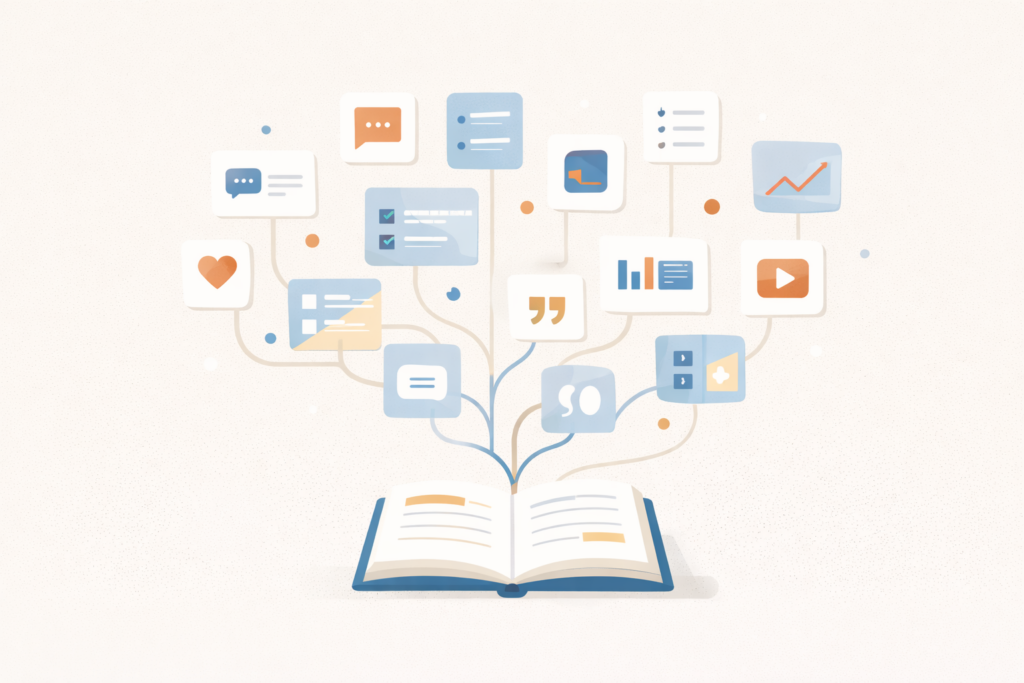
A book isn’t just one piece of content. It’s dozens. Maybe hundreds.
Every chapter tackles a different question. Every section introduces a new concept. Every example you included is a story worth sharing. That’s content — ready to go.
When you repurpose your book into social posts, you:
- build your author platform while you write
- stay visible without burning out
- attract readers who care about your topic
- test which ideas resonate before launch day
And if you’re building a content calendar with book goals in mind, this is exactly the kind of strategy that keeps you moving forward on multiple fronts at once.
How AI Makes Book Repurposing Faster
Manually pulling quotes and rewriting ideas for social takes time. AI speeds that up — a lot.
You’re not asking it to write your book. You’re asking it to help you extract, reshape, and format what you’ve already written. Big difference.
Here’s what AI can do:
- pull key quotes from chapters
- turn long explanations into Twitter-length threads
- generate hooks for Instagram or LinkedIn posts
- create variations of the same idea for different platforms
- suggest graphics or post formats based on your content
The heavy lifting is already done. You wrote the book. AI just helps you slice it into shareable pieces.
Start With Your Table of Contents
Your outline is your repurposing roadmap.
Each chapter becomes a theme. Each theme generates multiple posts. If you have a chapter on “common mistakes writers make,” that’s at least five separate social posts — one per mistake.
Open your manuscript or outline. Pick one chapter. Then ask your AI tool:
“Based on this chapter, suggest 10 social media post ideas. Include hooks, key takeaways, and post formats (carousel, thread, single image, etc.).”
You’ll get a list of angles. Some will work. Some won’t. But you’ll have options — and that’s the point.
Pull Quotes That Stand Alone
Not every sentence from your book works on social. But some do.
Look for lines that:
- make a bold claim
- challenge common advice
- summarize a big idea in one sentence
- provoke a reaction
Feed a few pages into your AI tool and ask:
“Extract 5 quotable lines from this section that would work well as standalone social media posts.”
You’ll get a short list of pull quotes. Add them to a design tool like Canva, pair them with your book cover or headshot, and you’ve got visual content ready to post.
If you’re using AI tools that help writers scale, many of them include features for generating social graphics or suggest design templates based on text input.

Turn Chapters Into Threads or Carousels
Long-form platforms like Twitter (X) and LinkedIn reward depth. Threads and carousels let you break down a chapter into a step-by-step post that people actually read.
Pick a chapter with a clear structure — maybe a how-to section or a list of principles. Then ask AI:
“Turn this chapter into a 7-part Twitter thread. Start with a hook, break down the main points, and end with a call-to-action.”
Or:
“Create a 10-slide Instagram carousel based on this chapter. Include a title slide, 8 content slides, and a CTA slide.”
You’ll get the framework. Clean it up, add your voice, and post.
Repurpose Case Studies and Examples
If your book includes real-world examples, success stories, or case studies, those are social content on their own.
People love concrete examples. They’re more shareable than theory — and they prove your point better than any explanation.
Pull a case study from your book and ask:
“Rewrite this case study as a short LinkedIn post. Focus on the problem, the solution, and the result. Keep it under 150 words.”
Or turn it into a before-and-after graphic. Or a short video script. One example can become five different posts across five platforms.
Create a Content Calendar From Your Book
Once you’ve repurposed a few chapters, you’ll see how much content you actually have. Now it’s time to organize it.
Map out a month. Assign each week a theme based on your book’s structure. Fill in specific posts under each theme — quotes, threads, carousels, examples.
Batch your work. Spend one afternoon pulling content from three chapters. Use AI to generate variations. Schedule everything in advance. Then move on to the next batch.
If you’re wondering whether Google penalizes AI content, the short answer is no — as long as the content is useful and original. The same logic applies to social. AI-generated posts are fine. Generic, low-effort posts aren’t.

Keep Your Voice in the Mix
AI can help you repurpose faster. But it shouldn’t replace your tone.
If a post sounds stiff or robotic, rewrite it. Add a personal story. Change the phrasing. Make it sound like something you’d actually say.
Your book already has your voice. Your social posts should too. AI gets you 80% of the way there — you bring it home with the final 20%.
Tools That Help You Repurpose Books Into Social Content
Here are a few AI tools built for this kind of work:
ChatGPT or Claude — paste in chapters, ask for post ideas, threads, or quote extraction. Works for most repurposing tasks.
Designrr — pulls content from PDFs or Word docs and reformats it into visual posts or ebooks. Great for turning chapters into lead magnets or carousels.
Canva’s AI features — helps you turn text into quote graphics or carousel designs without starting from scratch.
Writeseed — generates social captions and posts based on longer content. You can train it on your book’s style so outputs sound more like you.
Most of these tools don’t require a steep learning curve. You’re not building complex workflows. You’re just feeding in your book and asking for variations.
Don’t Wait Until the Book Is Finished
Here’s a strategy most authors miss: start repurposing while you’re still writing.
Every chapter you finish becomes a week of social content. By the time your book is done, you’ve already been posting about it for months. You’ve built awareness. You’ve gathered feedback. And you have an audience waiting for launch day.
That’s smarter than writing in silence for a year and then hoping people notice when you finally publish.
Final Thought: Your Book Is Your Content Engine
You spent months writing your book. It’s already full of ideas, insights, and stories worth sharing. Don’t let all that work live in one place.
Repurpose it. Break it into pieces. Share it on social. Use AI to speed up the process — but keep your voice in every post.
Your book isn’t just a product. It’s a platform. Treat it that way.