
You’ve seen the price tag on Publisher Rocket and wondered if there’s a way to research your book market without spending $199. The good news? There are several Publisher Rocket free alternatives that can give you solid insights into Amazon’s book categories, keywords, and competition.
BookTrendr
BookTrendr takes a broader approach to Amazon book market research. Instead of looking at just one keyword or category, it helps you understand the market before you decide what to write, publish, or promote.
You can use BookTrendr to research book niches, analyze Amazon categories, explore keywords, check competing books, and identify market opportunities. The tool brings key market data together in one place, so you can see what’s actually happening in your niche.
One of the most useful features is Niche Research. BookTrendr shows you the books dominating a specific Amazon category, including their Best Sellers Rank, review counts, pricing, and estimated sales. This helps you understand how competitive a niche really is — and what kind of results top-performing books are achieving.
You can also use Keyword Research to discover the search terms readers are using and identify keywords that may offer opportunities for your book. Instead of guessing which keywords to target, you can see actual Amazon data and compare different opportunities.
Another powerful feature is Reverse ASIN Research. Enter a competing book’s Amazon ASIN, and BookTrendr shows you the keywords that book is ranking for. This gives you a much better understanding of how successful books in your niche are being discovered.
BookTrendr also lets you monitor books, authors, and categories, so you can keep an eye on changes in your market over time. This can be especially useful when you’re researching a niche before writing or tracking competitors after publishing.
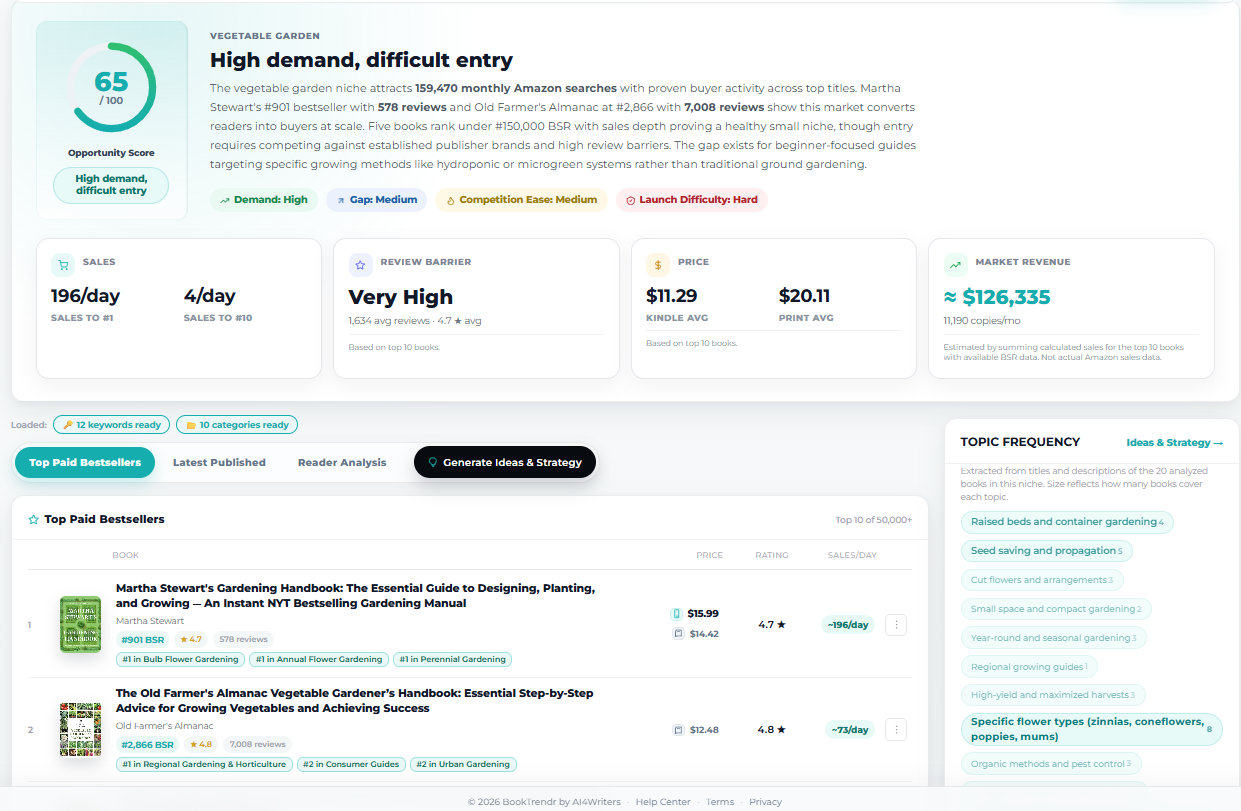
Amazon book market research with BookTrendr
If you’re looking for a Publisher Rocket alternative, BookTrendr offers a broader research workflow. Instead of focusing primarily on keyword and category research, it combines niche analysis, keyword research, competitor research, and market monitoring to help you make better-informed publishing decisions.
BKLNK for Book Category Research
BKLNK focuses on one thing: finding the right Amazon categories for your book. You enter your book’s details, and it suggests categories where you might actually rank.
The tool pulls data directly from Amazon’s category pages. It shows you how many books are in each category and what’s currently ranking. Simple, direct information without the complexity.
What makes BKLNK useful is its category depth analysis. It doesn’t just show you broad categories like “Romance” — it digs into subcategories like “Contemporary Romance” or “Paranormal Romance” where competition might be lighter.
It gives you basic category suggestions. You can see ranking positions and estimated sales for top books in each category. Not as comprehensive as Publisher Rocket, but functional.
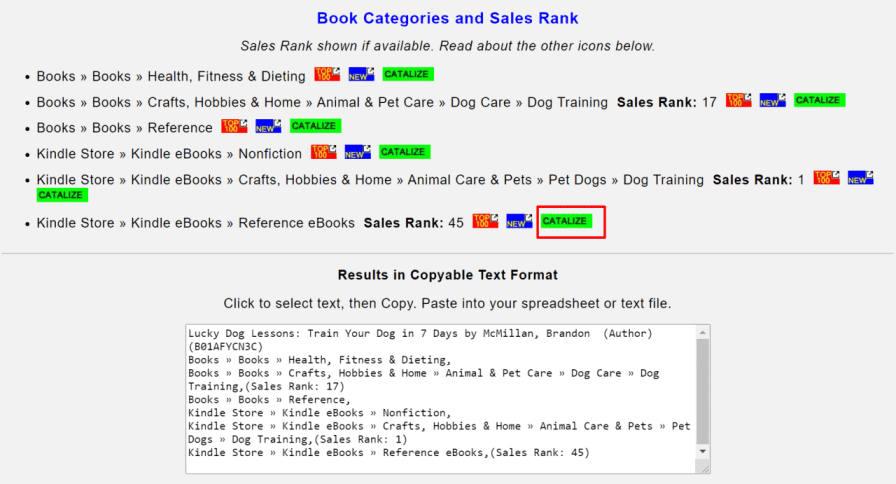
Book category finder on BKLNK
Amazon Suggestion Expander for Book Keyword Research
The AMZ Suggestion Expander does exactly what its name suggests. You type in a seed keyword, and it pulls Amazon’s autocomplete suggestions.
This Chrome extension captures the keywords Amazon shows when shoppers start typing in the search bar. Those suggestions represent real search behavior — people actually looking for those terms.
The tool expands your seed keyword with prefixes and suffixes. Type “keto diet” and you’ll get “keto diet for beginners,” “keto diet cookbook,” “keto diet meal plan,” and dozens more variations.
Each suggestion comes with search volume estimates and competition levels. The data isn’t as detailed as premium tools, but it’s enough to identify promising keywords.
The real value is in bulk keyword generation. You can export hundreds of keyword variations in minutes. Perfect for building Amazon ads campaigns or optimizing your book description.
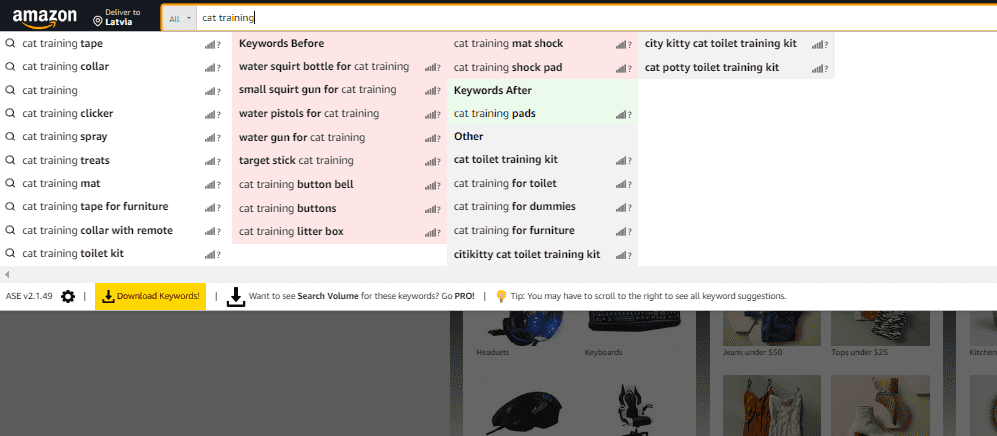
Book keyword suggestion expander on Amazon
If you’re exploring Publisher Rocket free alternatives, AMZ Suggestion Expander is worth considering. While it doesn’t offer the same depth of market analysis or competitor data as Publisher Rocket, it provides a simple way to uncover real Amazon search terms without paying for a premium tool.
Self-Publishing Titans: Analyze Books While Browsing Amazon
Self-Publishing Titans runs as a browser extension that adds data overlays to Amazon book pages. You browse normally, but now each book shows estimated sales, BSR history, and category rankings.
The extension calculates estimated monthly sales based on Amazon Best Seller Rank. You can see if a book is selling 10 copies per month or 1,000 copies per month at a glance.
It also tracks BSR changes over time. You can spot books that are trending up or down, which helps you understand market dynamics. A book with improving BSR might indicate growing interest in that topic.
The category analysis feature shows you exactly which categories a book is ranking in and its position in each. This helps you understand how authors are positioning similar books.
The free version has limitations — you can only check a certain number of books per day. But for initial market research, it’s sufficient to get a feel for your competition.
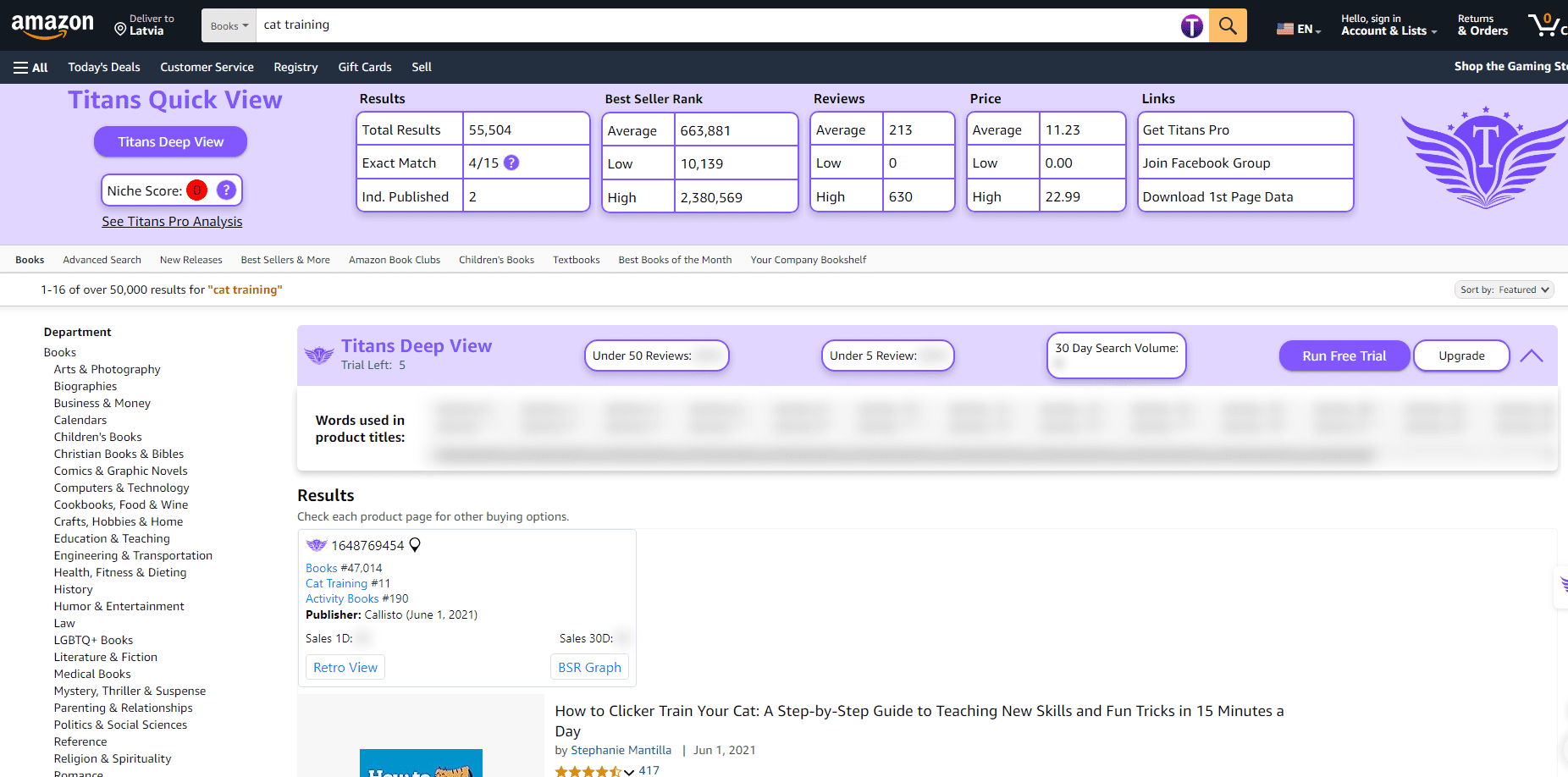
Book market analysis on Amazon
Amazon Book Sales Calculator
The Amazon Book Sales Calculator estimates monthly sales based on Amazon Best Seller Rank. You enter a book’s BSR, and it gives you estimated daily and monthly sales figures.
This tool bridges the gap between seeing a book’s rank and understanding what that rank means in actual sales. A book ranked #100,000 might seem unsuccessful, but it could still be selling 5-10 copies per month.
The calculator adjusts estimates based on category. A BSR of #5,000 in Romance means different sales than #5,000 in Business. The tool accounts for these category-specific differences.
You can also reverse-engineer the process. If you want to sell 100 copies per month, the calculator shows what BSR you’d need to achieve. This helps set realistic ranking goals.
For competitive analysis, this tool is essential. You can quickly estimate how well similar books are performing without guessing based on reviews or publication dates.
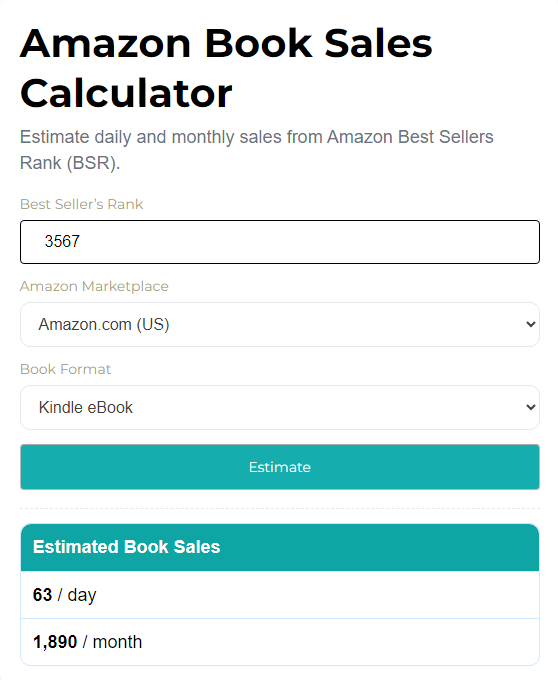
Estimate book sales on Amazon
KDP eBook Royalty Calculator
The Amazon Book Royalties Calculator isn’t market research in the traditional sense, but it’s crucial for understanding your potential earnings.
You input your book’s price and page count, and it calculates your royalties under Amazon’s 35% and 70% royalty programs. It also factors in delivery costs for ebooks over certain file sizes.
The tool helps you find the optimal price point for maximum earnings. Sometimes a lower price with higher sales volume generates more total royalties than a higher price with fewer sales.
It also compares print and ebook royalties side by side. You can see exactly how much you’ll earn from each format at different price points. This influences decisions about which formats to publish.
The calculator includes international marketplace calculations. Your royalty rates and delivery costs vary between Amazon US, UK, and other marketplaces. The tool shows these differences clearly.
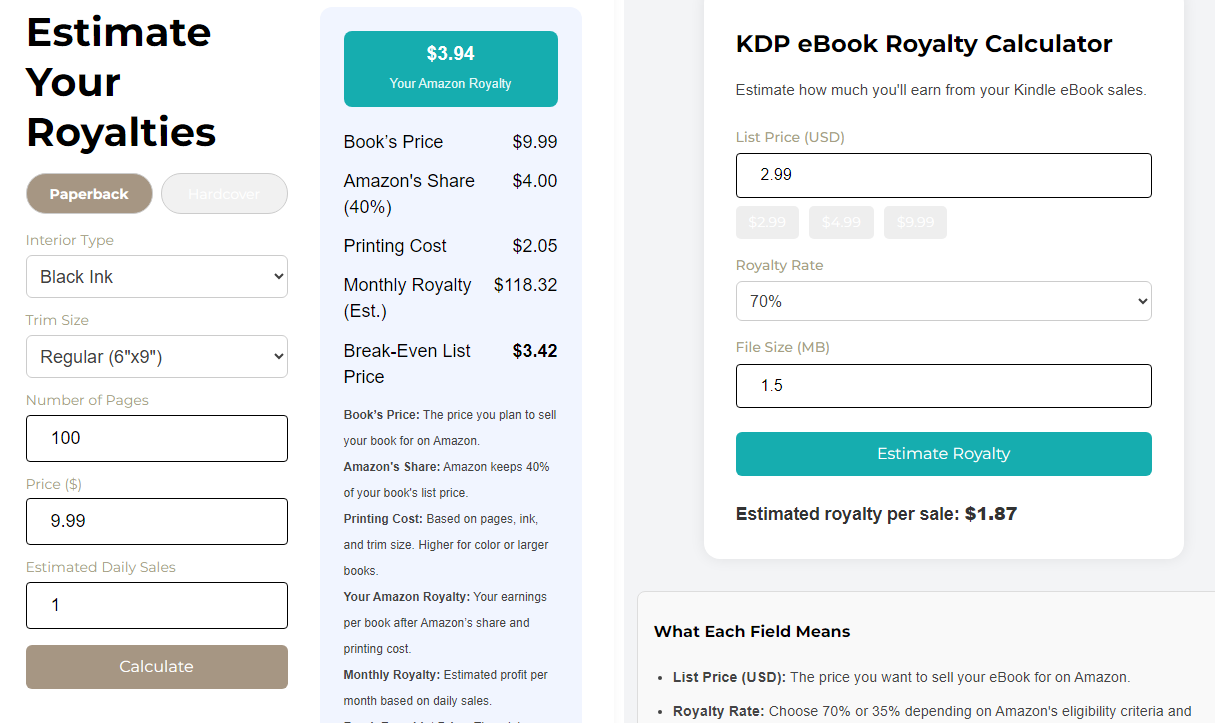
Estimate book royalties
Book Market Research Tools Directory
Instead of jumping between dozens of websites and recommendations, you can find book market research tools in the AI Tools Directory, a curated collection built specifically for authors and content creators. The directory includes tools for keyword research, competitor analysis, Amazon KDP research, book marketing, writing, and publishing workflows — all in one place.
You can filter through 300+ tools by price (including free options), categories, and specific features to quickly find tools that fit your needs. Whether you’re researching Amazon keywords, tracking competitors, analyzing market trends, or looking for publishing resources, the directory helps cut through the noise.
Rather than spending hours searching for recommendations, you can compare tools side by side and discover options that support different stages of your publishing journey.
| Tool Type | Best For | Limitation |
|---|---|---|
| Category Research | Finding less competitive niches | Limited keyword data |
| Keyword Tools | Amazon ads and descriptions | May miss category-specific terms |
| Sales Calculators | Competitive analysis | Estimates only, not exact figures |
Paid Alternatives for Amazon KDP Book Research
If free tools aren’t giving you enough data, several paid alternatives offer more comprehensive features than Publisher Rocket.
KDSpy provides real-time Amazon data with deeper keyword research capabilities. It costs less than Publisher Rocket but offers similar functionality for category and keyword analysis.
BookBeam focuses on tracking your books’ performance over time rather than initial market research. It’s useful once you’ve published and want to monitor rankings and sales.
K-lytics provides detailed genre reports with market size, reader demographics, and trending themes. It’s more expensive but gives you publishing industry intelligence beyond basic keyword research.
The choice between free and paid tools depends on your publishing goals. If you’re testing book ideas or publishing occasionally, free Publisher Rocket alternatives work fine.
For serious self-publishers planning multiple releases, paid tools save time and provide deeper insights. The investment often pays for itself with better category selection and keyword optimization.
Start with free tools to learn the research process. Once you understand what data matters for your publishing strategy, you can decide if upgrading makes sense.
I’m researching the market for my book idea about [YOUR BOOK TOPIC]. Help me create a comprehensive research plan using free tools.
Please provide:
1. A list of 20 relevant keywords I should research for this topic
2. 5 Amazon categories where this book might fit
3. 3 competitor analysis questions I should ask about similar books
4. A step-by-step research process using the free tools mentioned above
My target audience is [YOUR TARGET AUDIENCE] and my book will be [FICTION/NON-FICTION] in the [YOUR GENRE] category.