
You’ve spent hours perfecting your book description and selecting the right keywords. Your cover looks professional, your categories are spot-on, but you’re still missing something that could make the difference between a browser and a buyer.
That missing piece is Amazon A+ Content — one of the most underutilized tools available to self-published authors.
Amazon A+ Content transforms your basic book listing into a visual sales page. While it won’t magically turn any book into a bestseller, it can improve conversion rates and help readers quickly understand why your book is worth their time and money.
What Is Amazon A+ Content?
Amazon A+ Content is an enhanced product page feature that appears below your book description and before customer reviews.
Instead of relying solely on text, Amazon A+ Content allows you to add:
- Custom images and graphics
- Feature comparison tables
- Author information sections
- Series information displays
- Visual storytelling elements
- Reader outcome previews
Think of it as turning your Amazon listing from a simple product page into a mini landing page designed to convert browsers into buyers.
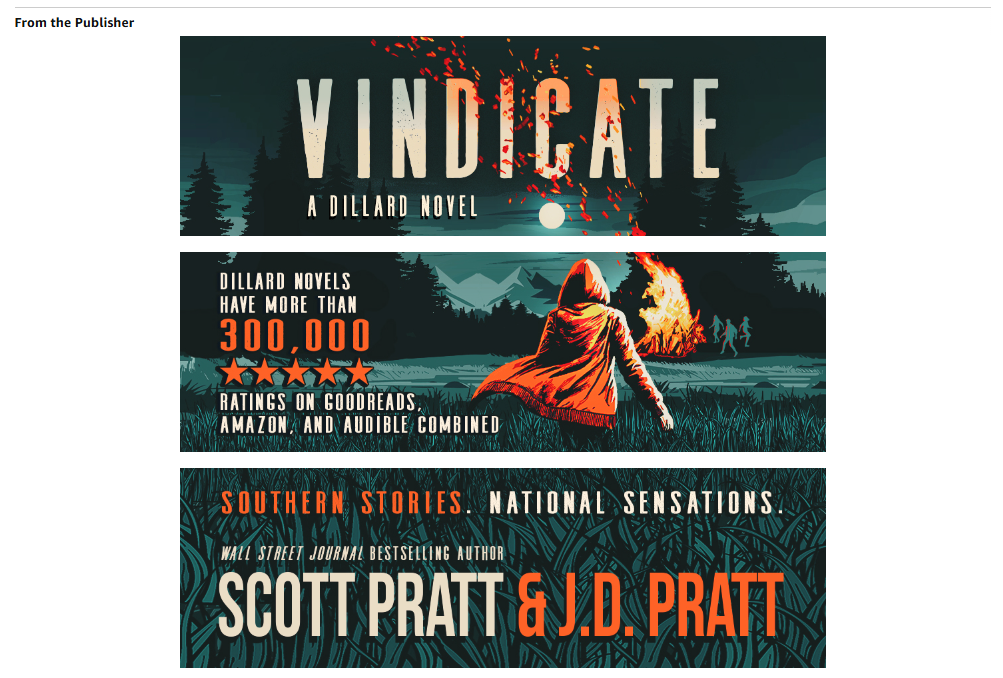
A+ content example for a fiction book
Who Can Use Amazon A+ Content?
Authors can create Amazon A+ Content through Amazon KDP for books published on Amazon.
The feature is:
- Available in most Amazon marketplaces
- Free to use — no additional fees
- Accessible directly through your KDP dashboard
- Available for both ebooks and print books
You don’t need special brand registry or vendor status. If you can publish on KDP, you can likely use Amazon A+ Content.
Why Amazon A+ Content Matters
Improves Conversion Rates
Readers often skim product pages quickly. Visual content communicates value faster than text alone.
When someone lands on your book page, they’re asking themselves: “Is this book for me?” Amazon A+ Content helps answer that question before they scroll away.
Builds Reader Trust
Professional presentation signals quality. A well-designed A+ Content section suggests the book itself is professionally crafted.
Highlights Specific Benefits
This is especially valuable for nonfiction books where outcomes matter. Instead of describing what’s in your book, you can show what readers will get from it.
Promotes Your Other Books
Comparison tables let readers discover your entire catalog without leaving the page.
Strengthens Author Branding
Consistent visual presentation across your books creates a more professional author presence on Amazon.
Where Amazon A+ Content Appears
Amazon A+ Content appears in a specific location on your book’s product page:
- Below the book description
- Above customer reviews
- Visible on both desktop and mobile devices
- Part of the main product information flow
This placement means readers see your Amazon A+ Content after reading your description but before checking reviews — prime real estate for making your case.
Elements You Can Add to Amazon A+ Content
Hero Images
Large visual sections that introduce your book’s main concept. These work particularly well for:
- Nonfiction books with clear frameworks
- Memoirs with compelling personal stories
- Books covering highly visual topics
Image and Text Modules
Combine visuals with short explanations. Perfect for breaking down complex concepts or highlighting key benefits.
Comparison Tables
One of the most useful features for authors with multiple books. These tables help readers find the right book in your catalog and can increase overall sales across your entire series.
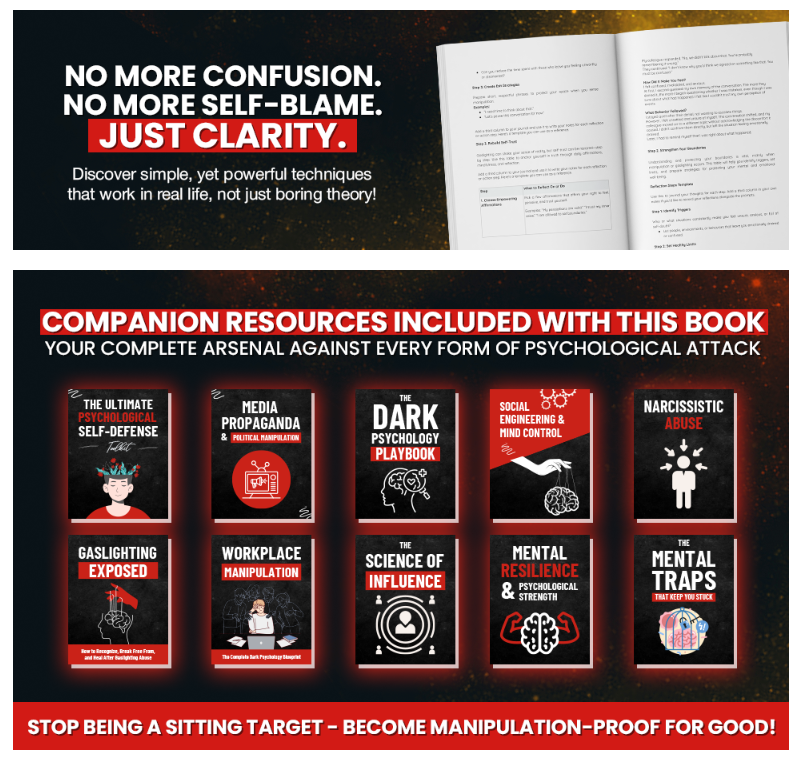
Amazon A+ content example
Author Information Sections
Tell readers who you are and why they should trust your expertise. Include:
- Your background and credentials
- Why you wrote this specific book
- Your unique perspective or experience
Amazon A+ Content Ideas for Nonfiction Authors
Showcase Reader Outcomes
Instead of listing chapters, explain what readers will achieve:
After reading this book, you’ll be able to:
- Create a morning routine that actually sticks
- Identify your most productive hours
- Eliminate time-wasting habits
Visualize Your Framework
Turn your methodology into visual elements:
- Step-by-step process diagrams
- Decision-making flowcharts
- Before-and-after comparisons
Feature Worksheets or Bonuses
Show screenshots of additional resources readers will receive:
- Planning templates
- Checklists and worksheets
- Quick reference guides
Display Social Proof Carefully
You can include testimonials and media mentions, but follow Amazon’s content guidelines closely. Avoid making unsubstantiated claims about results.
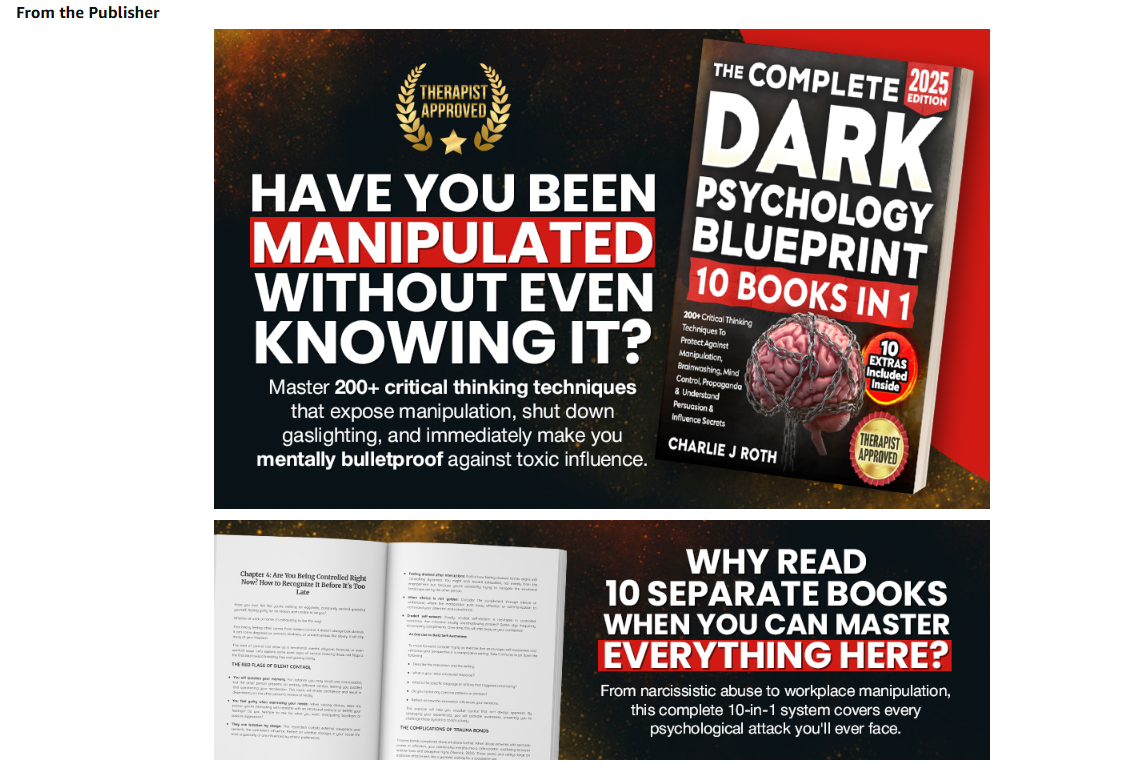
A+ content example for a nonfiction book
Amazon A+ Content Ideas for Fiction Authors
Character Introductions
Introduce key characters with brief descriptions and representative images.
World-Building Elements
Show maps, settings, or important locations from your story world.
Reading Order Guide
Especially useful for series authors. Help readers understand where to start and what to read next.
Series Connections
Show how books in your series connect without spoiling plot points.
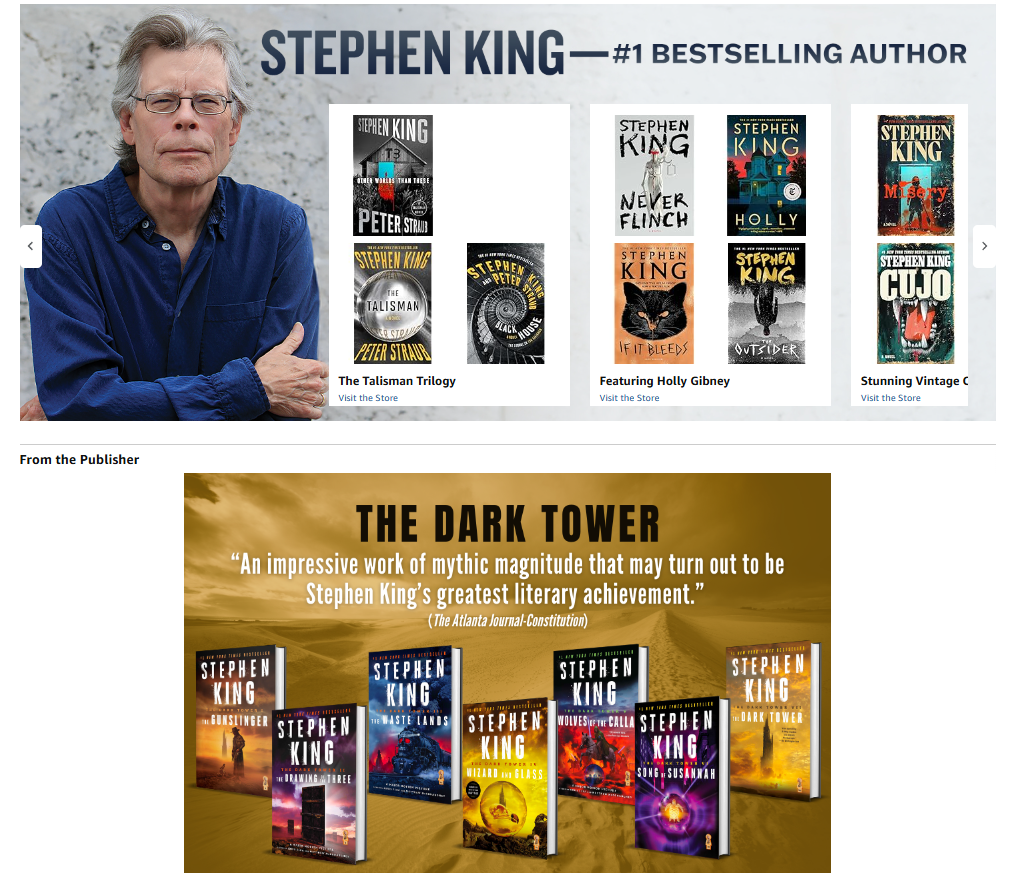
A+ content example for a fiction book
Amazon A+ Content Design Tips
Keep Text Short
Readers skim Amazon A+ Content. Use:
- Clear headlines
- Bullet points
- Short paragraphs
- Scannable formatting
Focus on Benefits Over Features
Don’t simply explain what your book contains. Explain why readers should care about those contents.
Use Consistent Branding
Match your Amazon A+ Content to:
- Your cover design style
- Your author website branding
- Your social media presence
Design for Mobile First
Many Amazon shoppers browse on mobile devices. Ensure:
- Text remains readable on small screens
- Images aren’t overcrowded
- Key information is visible without zooming
Common Amazon A+ Content Mistakes
Repeating the Book Description
Use Amazon A+ Content to add new information that helps readers make a buying decision.
Using Too Much Text
Amazon A+ Content is a visual medium. Heavy text blocks defeat the purpose.
Ignoring Reader Benefits
Features alone rarely sell books. Always connect features to reader outcomes.
Low-Quality Images
Blurry or unprofessional visuals hurt more than they help.
Promoting Unrelated Books
Keep book recommendations relevant to the current title’s audience.
How to Create Amazon A+ Content
Creating Amazon A+ Content involves a straightforward process through your KDP dashboard:
Step 1: Open your Amazon KDP Marketing Manager and select your book.
Step 2: Find the A+ Content option in your book’s management menu.
Step 3: Choose the Amazon marketplace (for example, Amazon.com).
Step 4: Click “Start Creating A+ Content.”
Step 5: Add your modules and fill them with content that complies with Amazon’s guidelines.
Step 6: Submit your content for Amazon’s review process.
Step 7: Monitor performance after approval and make adjustments as needed.
The review process typically takes 7-14 days. Amazon checks for content policy compliance and image quality.
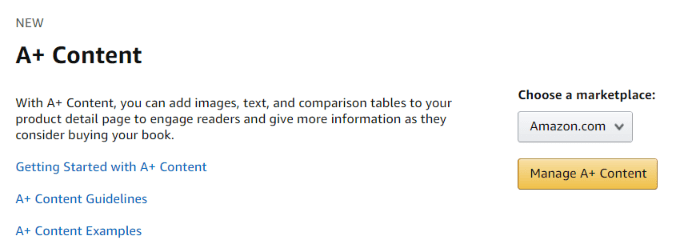
Start creating Amazon A+ content
Can Amazon A+ Content Increase Book Sales?
Let’s be realistic about expectations.
Amazon A+ Content won’t fix fundamental problems like:
- Poor keyword targeting
- Wrong book categories
- Negative reviews
- Weak book concepts
However, it can improve conversion rates by helping qualified readers make buying decisions faster.
Think of Amazon A+ Content as the final step in optimizing your Amazon sales page — not a magic solution for broader marketing challenges.
Free Tools to Create Amazon A+ Content
Several tools can help you design professional Amazon A+ Content without expensive software:
- Veeso AI A+ Content Generator
- PiccoPilot A+ Content Generator
- Sivi A+ Content Generator
- Green Onion A+ Content Creator
- Phot.AI A+ Content Generator
These tools can help generate layouts and provide inspiration, but you’ll still need to customize content for your specific book and audience.
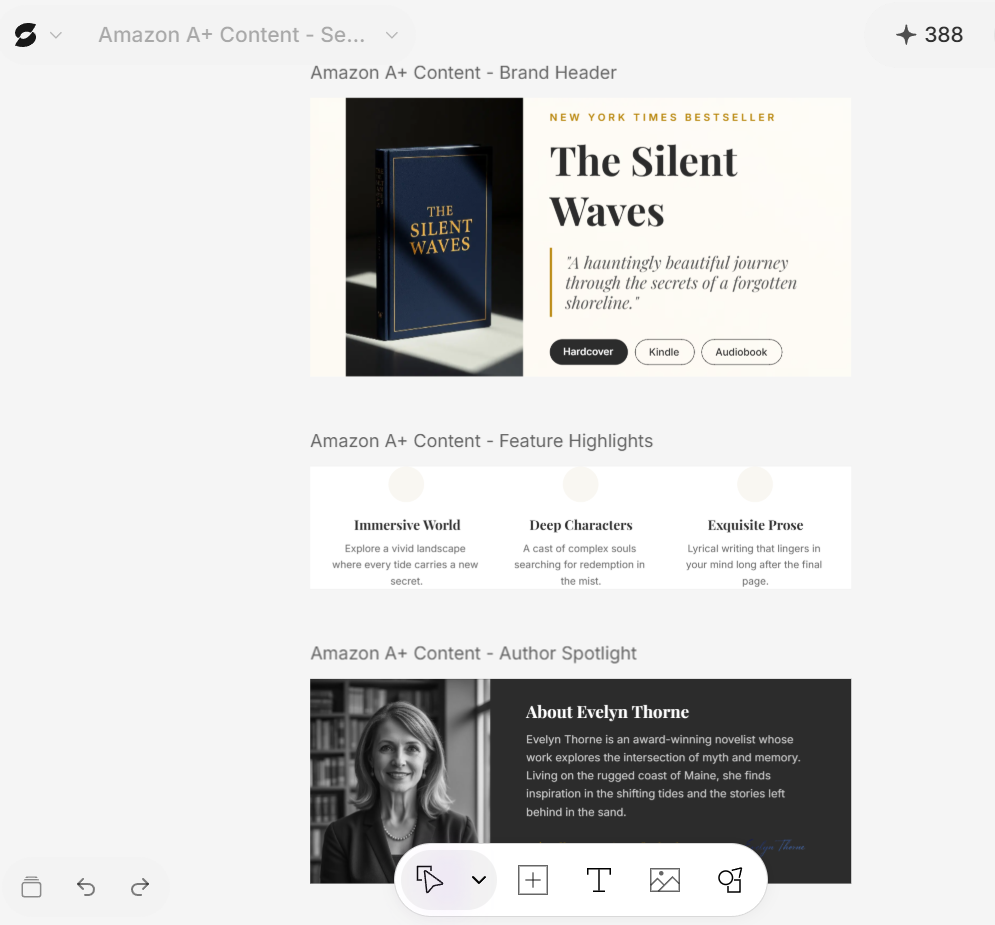
Amazon A+ content generated with Veeso.ai
Please suggest:
1. A hero image concept that visually represents the main benefit
2. Three reader outcomes to highlight in bullet points
3. A simple comparison table showing how this book differs from similar books
4. An author credibility section explaining why readers should trust my expertise
5. One visual element that shows my framework or methodology
Keep all text concise and benefit-focused. Make it scannable for mobile users.
Amazon A+ Content Checklist
Before publishing your Amazon A+ Content, verify:
✓ Images are high-resolution and professional
✓ Headlines clearly communicate value
✓ Content focuses on reader benefits
✓ Design works well on mobile devices
✓ Branding matches your other materials
✓ Comparison tables include relevant books only
✓ Author information builds credibility
✓ Call-to-action elements guide next steps
Measuring Amazon A+ Content Success
Amazon doesn’t provide detailed analytics specifically for A+ Content performance. However, you can monitor:
- Overall conversion rate changes after implementation
- Sales patterns before and after A+ Content goes live
For more detailed insights into your book’s performance, consider using tools for book sales analytics. The best way to evaluate A+ Content effectiveness is through sustained observation of your book’s conversion patterns over several weeks.
Amazon A+ Content gives self-published authors a chance to present their books more professionally and persuasively. While it requires some upfront design work, it’s one of the few free ways to significantly enhance your Amazon presence.
If you’re already investing time in optimizing your book’s keywords, categories, and description, Amazon A+ Content represents a logical next step in maximizing your listing’s conversion potential.
The goal isn’t to overwhelm readers with information — it’s to help the right readers recognize that your book solves their specific problem. Done well, Amazon A+ Content can be the difference between someone browsing your book and someone buying it.