
You’ve written a blog post that could be a standalone guide. You’ve collected notes that would make a solid resource. You’ve answered the same questions dozens of times in different forums.
What if you could turn that existing content into a professional ebook in less than an hour?
Using Designrr and ChatGPT together creates a workflow that transforms scattered content into polished ebooks without starting from scratch. No design skills required. No lengthy formatting battles.
Let’s walk through the exact process.
Step 1: Research Popular Ebook Topics with KDP Niche Finder
Before you create anything, you need to know what people actually want to read.
Most authors write what interests them, then wonder why sales stay flat. Smart authors research first.
Amazon KDP’s search suggestions reveal what readers type when they’re looking for books. Start there.
Type your broad topic into the Kindle store search bar. Let’s say “productivity” — watch the dropdown suggestions. You’ll see phrases like “productivity planner,” “productivity for entrepreneurs,” or “productivity hacks.”
Each suggestion represents real search volume.
Look at the top 20 books in each subcategory. What problems do their titles promise to solve? What gaps do you notice?
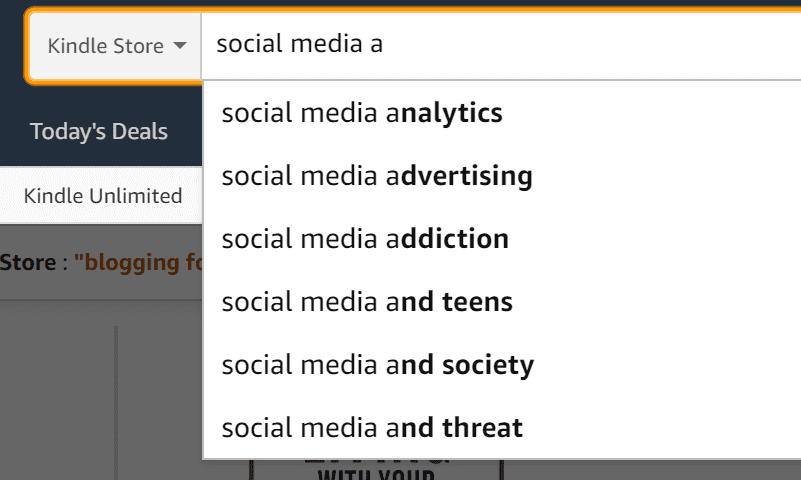
Find keywords on Amazon
Tools like Publisher Rocket can speed this up by showing exact keyword search volume and competition scores. But the manual method works fine if you’re starting out.
Pay attention to books with 50-200 reviews. These represent proven demand without overwhelming competition.
Step 2: Generate Content Ideas with ChatGPT
Now you know what topics work. Time to create the content foundation.
ChatGPT excels at expanding partial ideas into comprehensive outlines. Feed it your research and watch it generate structured content frameworks.
Start with this prompt structure:
Create a detailed outline with:
– 5-7 chapter titles that address these pain points
– 3-4 subheadings per chapter
– A brief description of what each section should cover
– Actionable takeaways for each chapter
Make the content practical and immediately useful.
ChatGPT will return a structured outline. Don’t stop there.
Pick one chapter and ask it to expand the content: “Write the introduction and first section for Chapter 3. Include specific examples and actionable steps.”
Continue this process for each section. You’re not asking ChatGPT to write your entire book — you’re using it to generate the raw material you’ll refine.
The key is specificity. Instead of “write about time management,” ask for “three specific techniques busy parents can use to reclaim 30 minutes daily.”
Save everything in a single document. You’ll need this organized content for the next step. For more practical tips and prompts, check out our guide on how to write a nonfiction book with ChatGPT.
Refining AI-Generated Content
Raw ChatGPT output sounds generic. Your job is making it sound like you.
Add personal examples. Include specific numbers and data. Reference current events or trends. These details transform generic advice into genuine expertise.
If ChatGPT suggests “set clear goals,” you might expand that to “I use the 3-2-1 method: 3 major objectives, 2 supporting tasks per objective, 1 daily action that moves each forward.”
The AI provides the structure. You provide the substance.
Step 3: Use Designrr to Create Your Ebook
Content ready? Time for the magic.
Designrr turns text into professional-looking ebooks without design experience. Upload your content, choose a template, and watch it transform into a polished publication.
Here’s the workflow:
- Import your content by pasting text directly or uploading a document. Designrr automatically detects headings and creates chapter breaks.
- Choose a template that matches your topic. Business topics work well with clean, minimal designs. Creative topics can handle more visual elements.
- Customize colors, fonts, and spacing to match your brand. Don’t overthink this — consistency matters more than creativity.
- Add your cover image. Designrr includes basic design tools, but you might want to create covers using Canva or similar tools first.
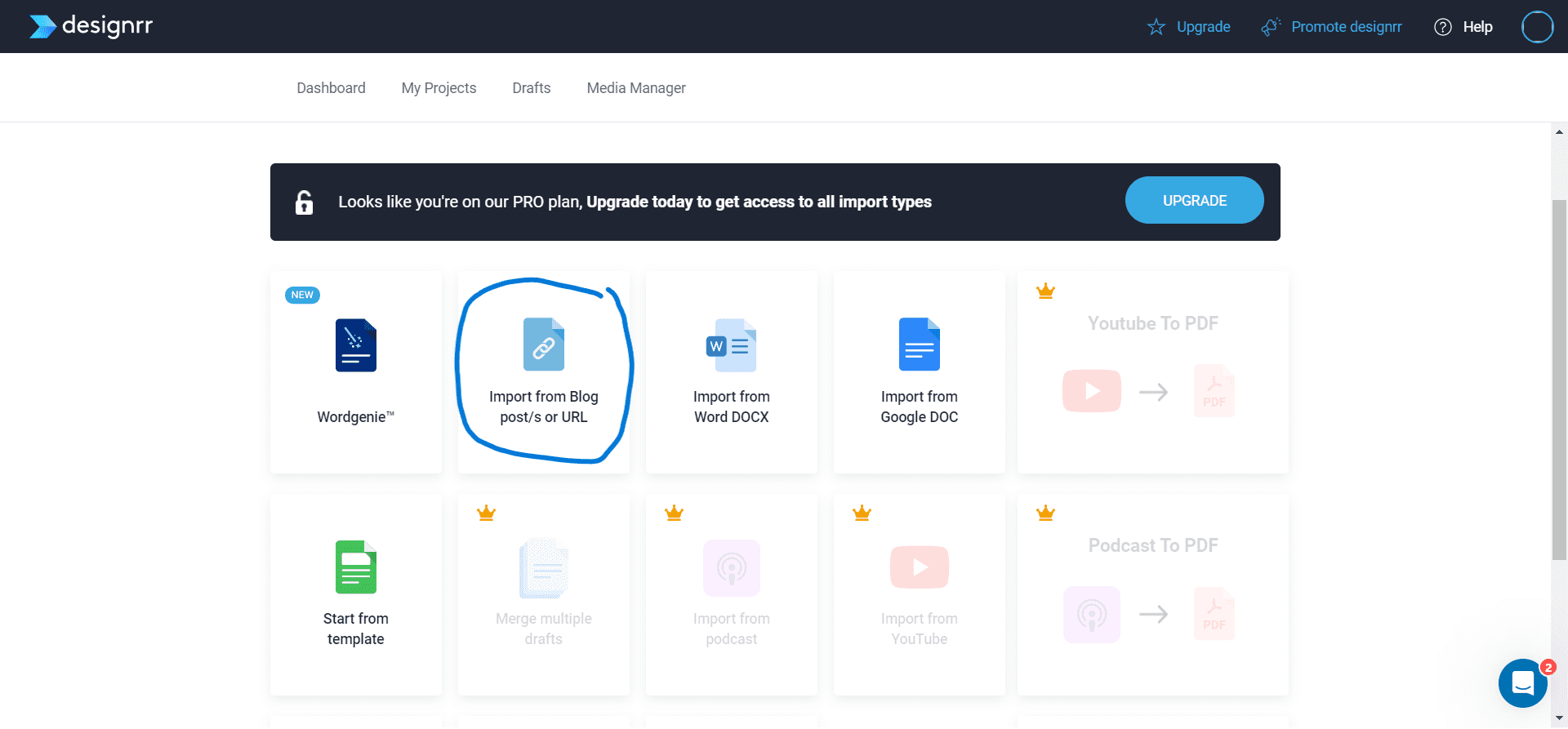
Creating a book using Designrr
Designrr’s Smart Features
The platform automatically handles formatting headaches that trip up most authors.
Page breaks happen in logical places. Headers and footers stay consistent. Image placement looks professional without manual tweaking.
The table of contents generates automatically based on your headings. Page numbers update when you add or remove content.
Most importantly, Designrr exports to multiple formats: PDF for direct sales, EPUB for wider distribution, and even print-ready files for physical books.
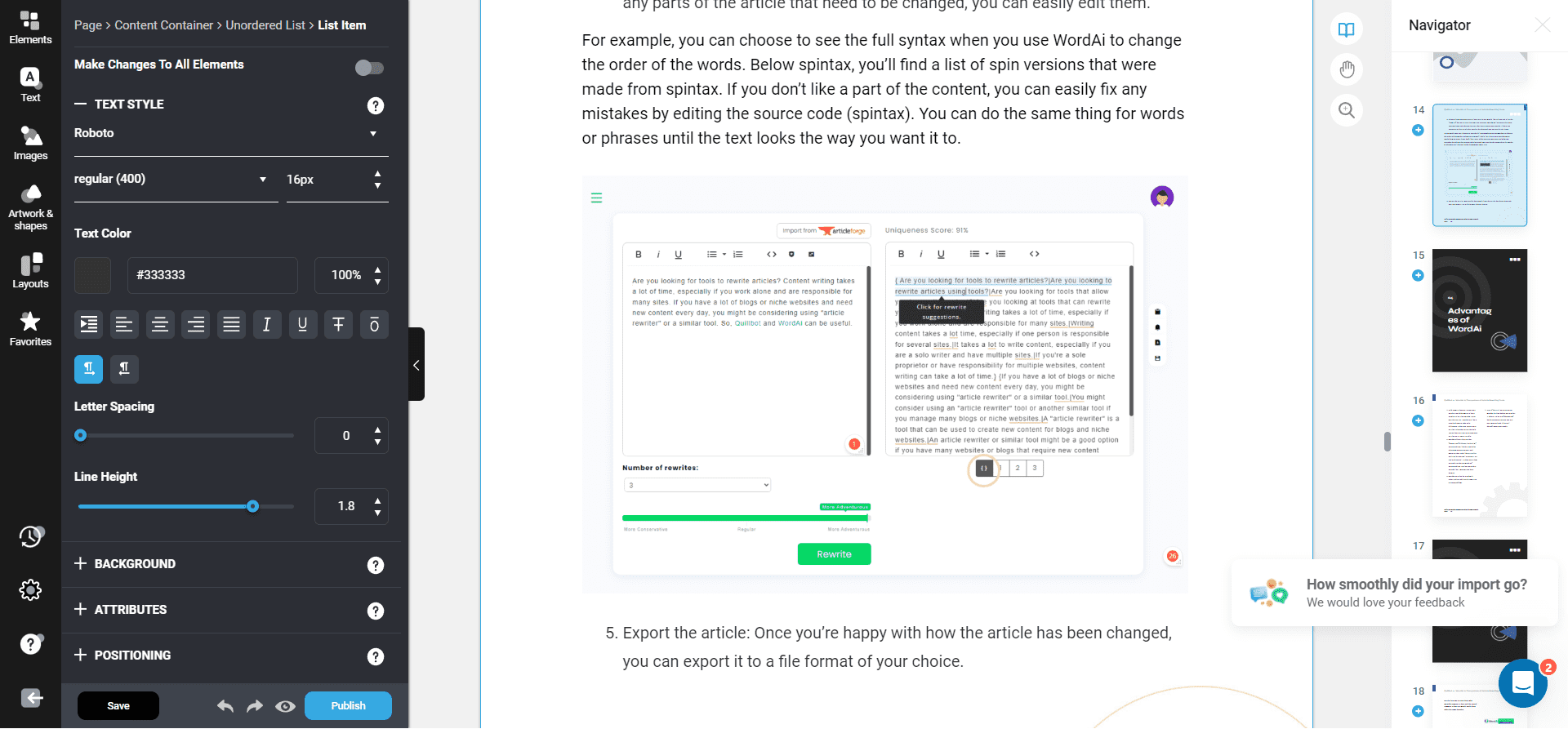
Formatting a book using Designrr
Integrating Visual Elements
Text-heavy ebooks lose readers quickly. Break up content with strategic visuals.
Add relevant images every 2-3 pages. Stock photos work, but simple graphics often perform better. Think charts, diagrams, or highlighted quotes.
Use Designrr’s built-in shapes and icons to create simple infographics. A numbered list becomes more engaging when each point gets its own visual treatment.
Keep images consistent in style. If you start with photographs, stick with photographs. Mixed visual styles look unprofessional.
Quality Control and Testing
Before publishing, test your ebook on different devices.
Download the PDF and check how it displays on phones, tablets, and computers. Text should remain readable at different zoom levels.
For EPUB files, test in multiple reading apps. Amazon’s Kindle Previewer shows how your book appears on various Kindle devices.
Check all internal links work correctly. Verify your table of contents jumps to the right sections.
Read through the entire ebook one final time. Look for formatting inconsistencies, orphaned headings, or awkward page breaks.
Optimizing Your Ebook for Distribution
A finished ebook isn’t useful until people can find and buy it.
Your title should include primary keywords while remaining readable. “Time Management for Busy Parents” works better than “Productivity Optimization Methodologies.”
Write compelling book descriptions that focus on reader benefits. Instead of listing features, explain transformations. “Learn 5 techniques that save 2 hours daily” beats “Comprehensive time management strategies.”
Choose categories carefully on platforms like Amazon KDP. Narrow niches often convert better than broad ones. “Parenting > Time Management” typically outperforms “Self-Help > Productivity.”
Consider your pricing strategy. New authors often succeed with lower initial prices to build reviews and visibility.
Distribution Platforms Beyond Amazon
Amazon dominates ebook sales, but don’t ignore other platforms. Draft2Digital distributes to multiple stores simultaneously. One upload reaches Apple Books, Barnes & Noble, Kobo, and others.
Direct sales through your website keep 100% of profits. Tools like Payhip handle payments and delivery automatically.
Each platform has different audiences. Business books might perform better on Apple Books, while romance thrives on Amazon.
Measuring Success and Iteration
Track more than just sales numbers. Monitor which marketing channels drive downloads. Email promotions might outperform social media for your audience. Read reviews carefully. Negative feedback often reveals improvement opportunities for your next ebook.
Pay attention to completion rates if your platform provides that data. High abandonment rates suggest pacing or content issues.
Use this data to refine your next ebook. The Designrr and ChatGPT workflow makes rapid iteration possible.
Common Mistakes to Avoid
Most authors stumble on the same predictable issues.
- Don’t publish AI-generated content without substantial editing. Raw ChatGPT output lacks personality and often includes generic advice.
- Avoid overcomplicating your design. Simple, clean layouts outperform busy, graphics-heavy designs for most nonfiction topics.
- Don’t skip the research phase. Writing what you think people want usually misses the mark.
- Test your ebook thoroughly before launch. Formatting problems destroy credibility faster than typos.
Remember that ebooks compete with free content. Your book needs to offer something blogs and articles don’t — depth, organization, or unique insights.
Building on Your Success
One successful ebook creates opportunities for more.
Expand popular chapters into full-length books. Create companion workbooks or checklists. Develop email courses based on your content. Reader feedback often suggests your next topic. Pay attention to questions in reviews and comments.
The Designrr and ChatGPT system scales efficiently. Once you master the workflow, producing multiple ebooks becomes systematic rather than overwhelming. Each ebook also serves as a lead magnet for your broader author platform. Free ebooks build email lists. Paid ebooks establish expertise.
Advanced Techniques for Power Users
Master the basics first, then explore these efficiency upgrades.
Create content templates for different ebook types. Business guides follow different structures than how-to manuals or personal development books.
Develop a library of reusable visual elements. Consistent iconography and color schemes speed up the design process.
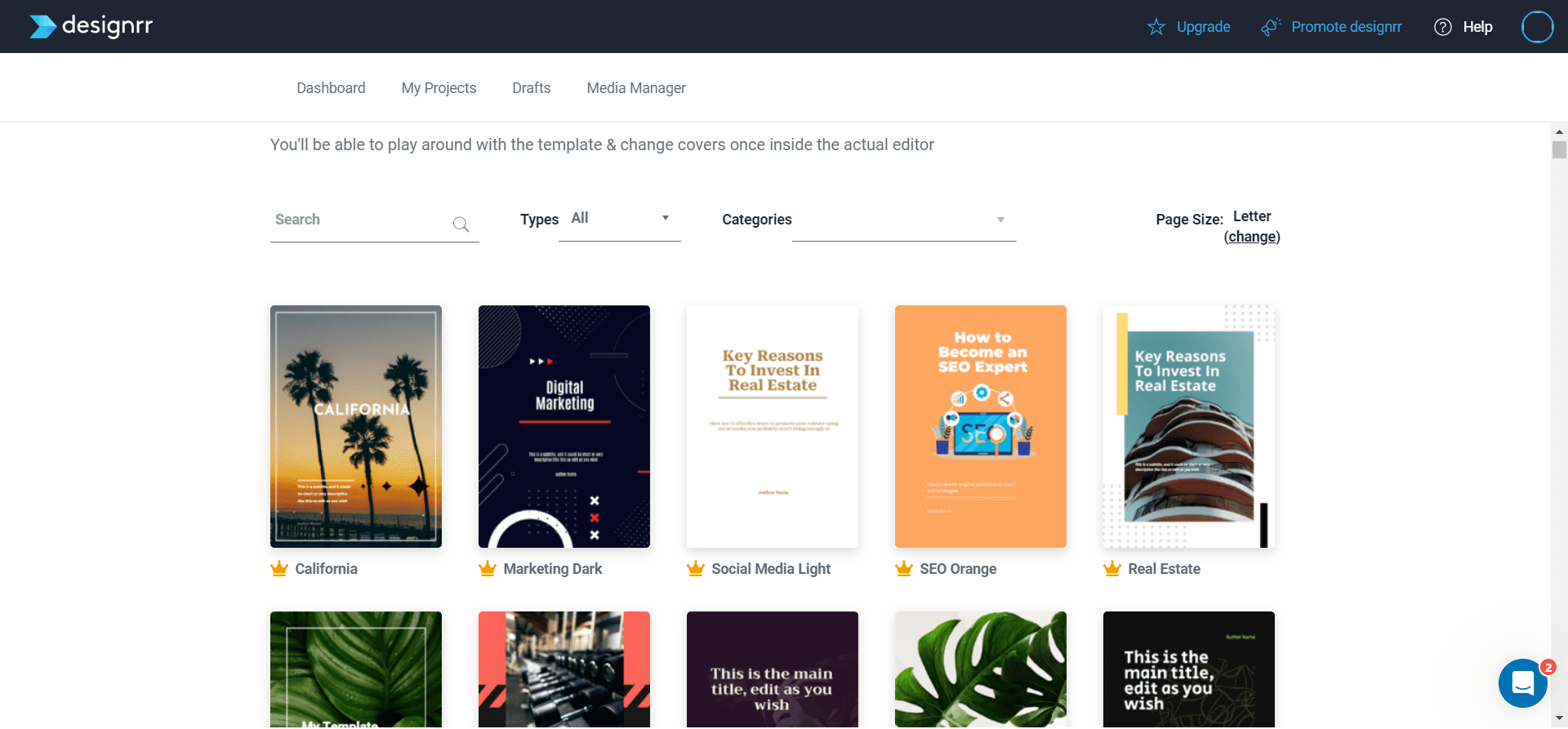
Creating a book using Designrr
Use ChatGPT to generate multiple versions of key sections. A/B test different introductions or chapter conclusions to see what resonates.
Consider creating ebook series rather than standalone titles. Readers who finish one book often buy the next immediately.
Batch your creation process. Research five topics simultaneously. Generate outlines for multiple books in one ChatGPT session. Design several books in sequence to maintain momentum.
Scaling Your Ebook Business
Once you’ve mastered creating individual ebooks, think bigger.
Successful authors often publish 10-20 titles per year. The Designrr and ChatGPT combination makes this volume realistic.
- Focus on series within profitable niches rather than scattered topics. Building authority in specific areas drives higher sales per book.
- Consider hiring virtual assistants to handle research and initial content generation. You focus on editing and refinement — the parts that require your expertise.
- Track which topics perform best and double down. If productivity books outsell marketing guides, publish more productivity content.
The goal isn’t just creating ebooks quickly. It’s building a sustainable system that generates consistent income from digital publishing.